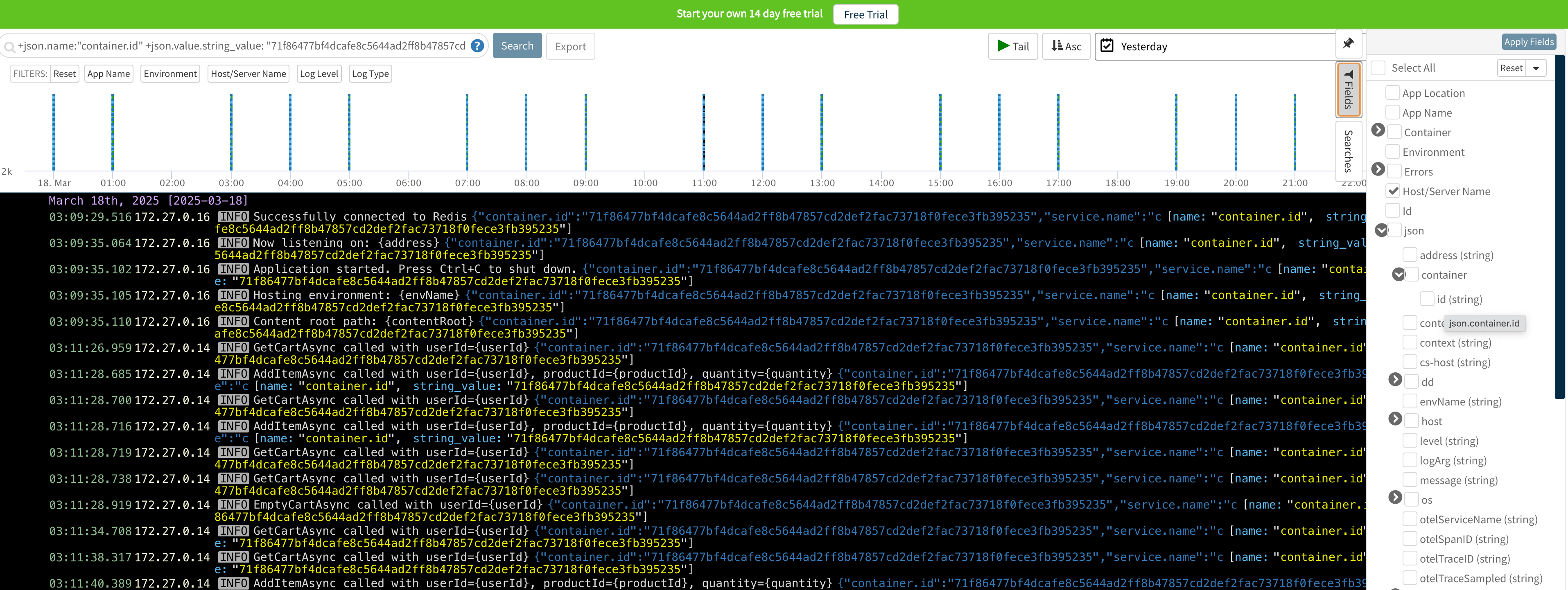
Retrace's log management allows you to view and search across all of your logs in one place. Full text indexing powered by Lucene/Elasticsearch is used to create powerful searching capabilities. Most Lucene style searches are supported.
Tips for Searching Through Logs
Operators
By default, searches use the AND operator and must match all terms. These two queries are the same:
word1<space>word2, e.g.code 200word1ANDword2, e.g.code AND 200
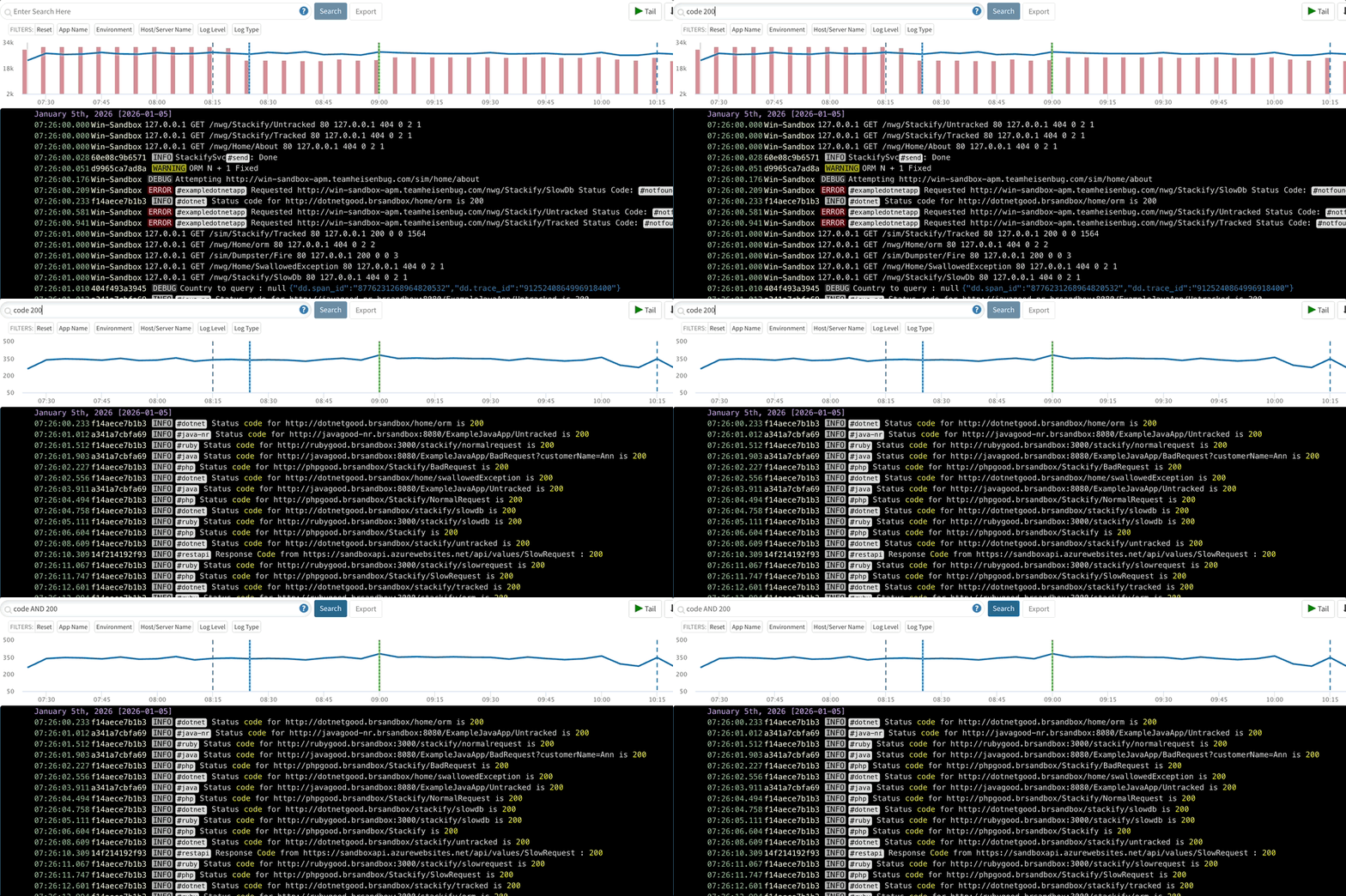
Other boolean operators (in addition to AND) OR, negation (NOT, !) can be used as well as parentheses for grouping:
-
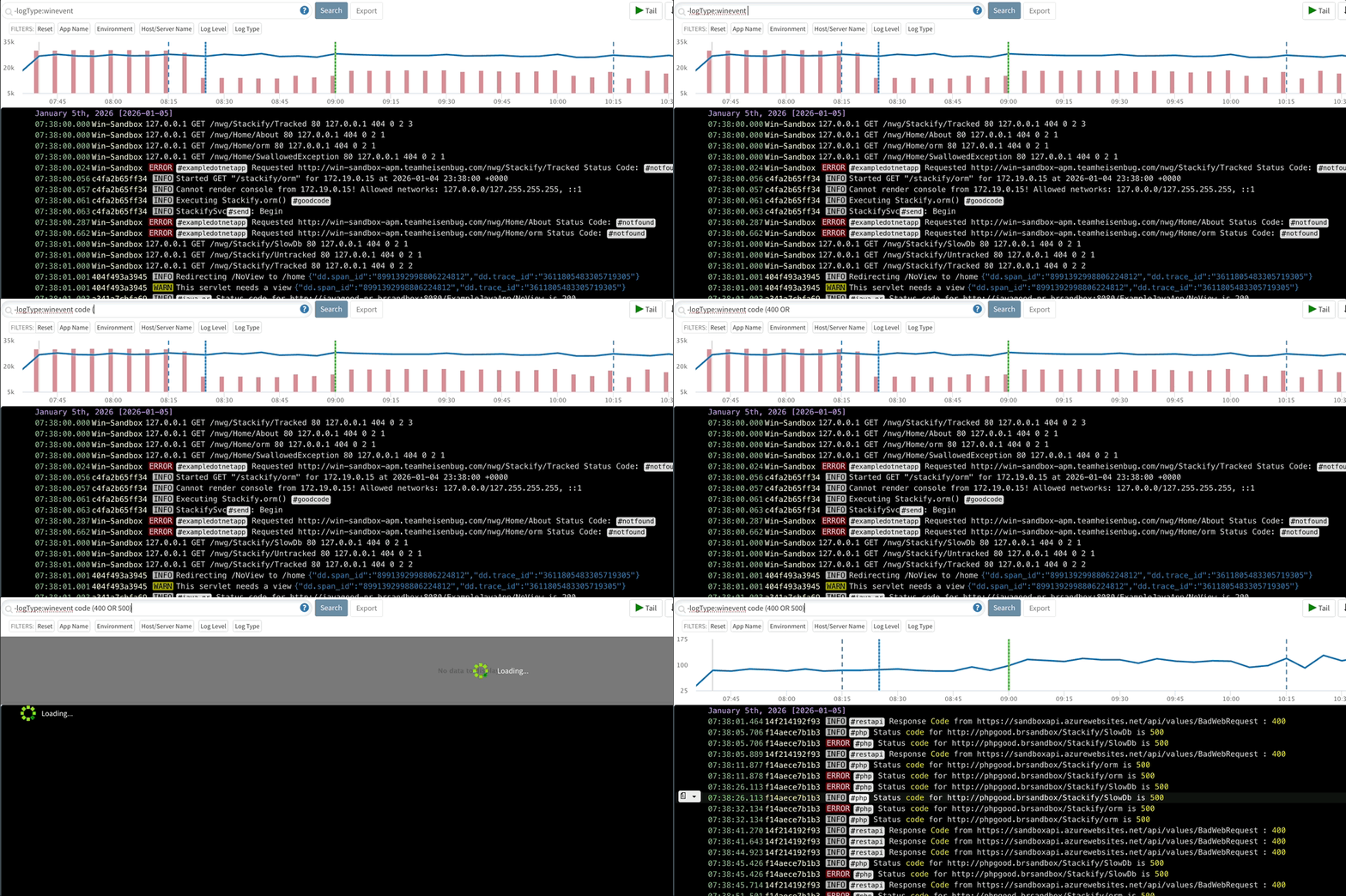
Parenthesis/grouping sample:
code (400 OR 500)
-
Negation sample:
-logType:winevent -logType:weblog-iis NOT level:info !level:notice
.gif)
Putting quotes around the search will require the terms to be matched as an exact phrase.
“client 2017”
Special Characters
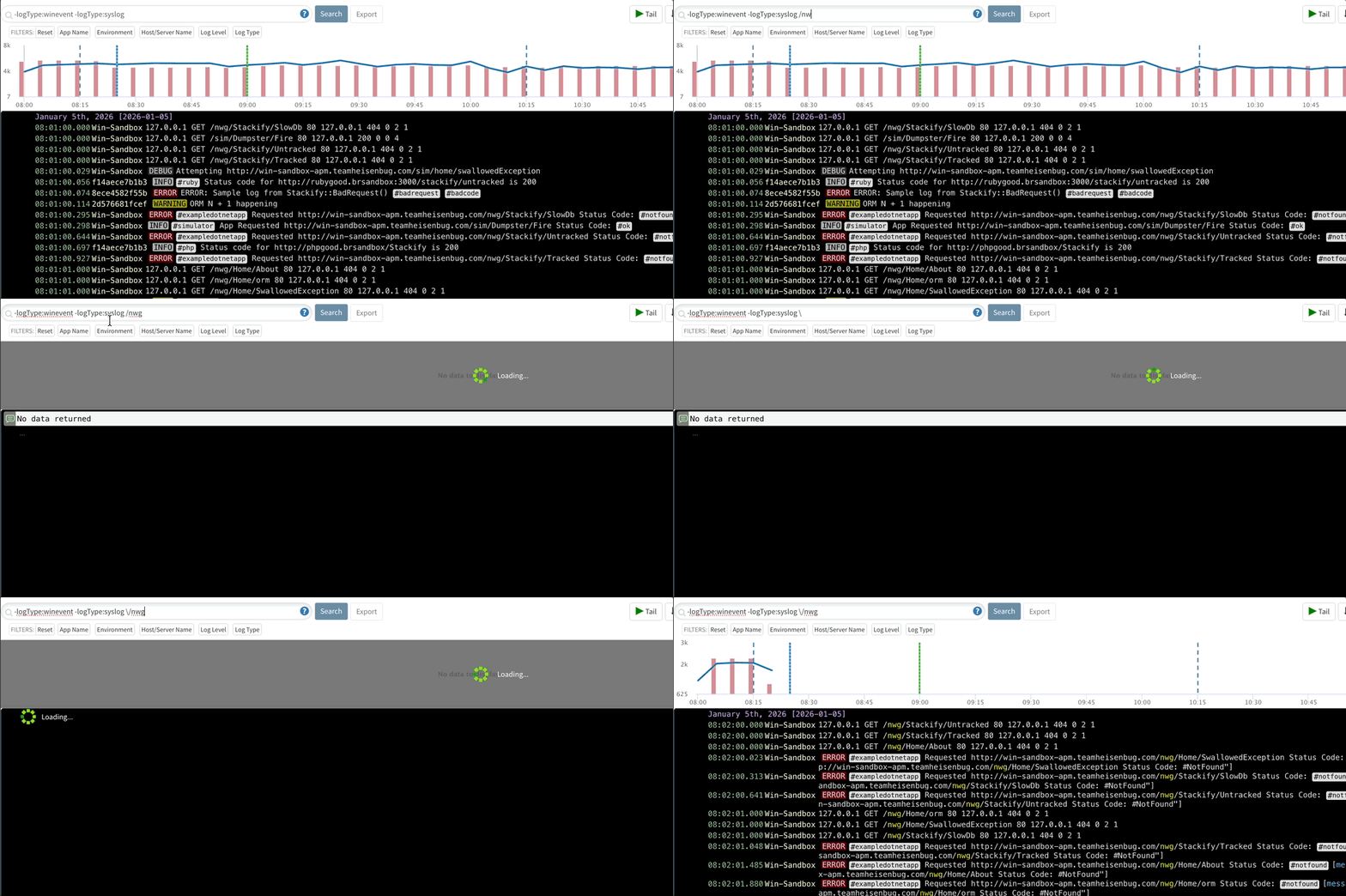
Only alpha-numeric characters are supported in basic searches. If you want to search for special characters you must put the search in quotes or escape them. To escape these characters use the "\" or backslash before the character. Special characters include:
+ - = & | > < ! ( ) { } [ ] ^ " ~ * ? : \ /
For example:
- Backslash, such as in a Windows path:
C\:\\approot - Slash (forward slash) in application paths such as:
\/nwgin/nwg/Home/About
Wildcards
Wildcards are supported for some types of search queries.
-
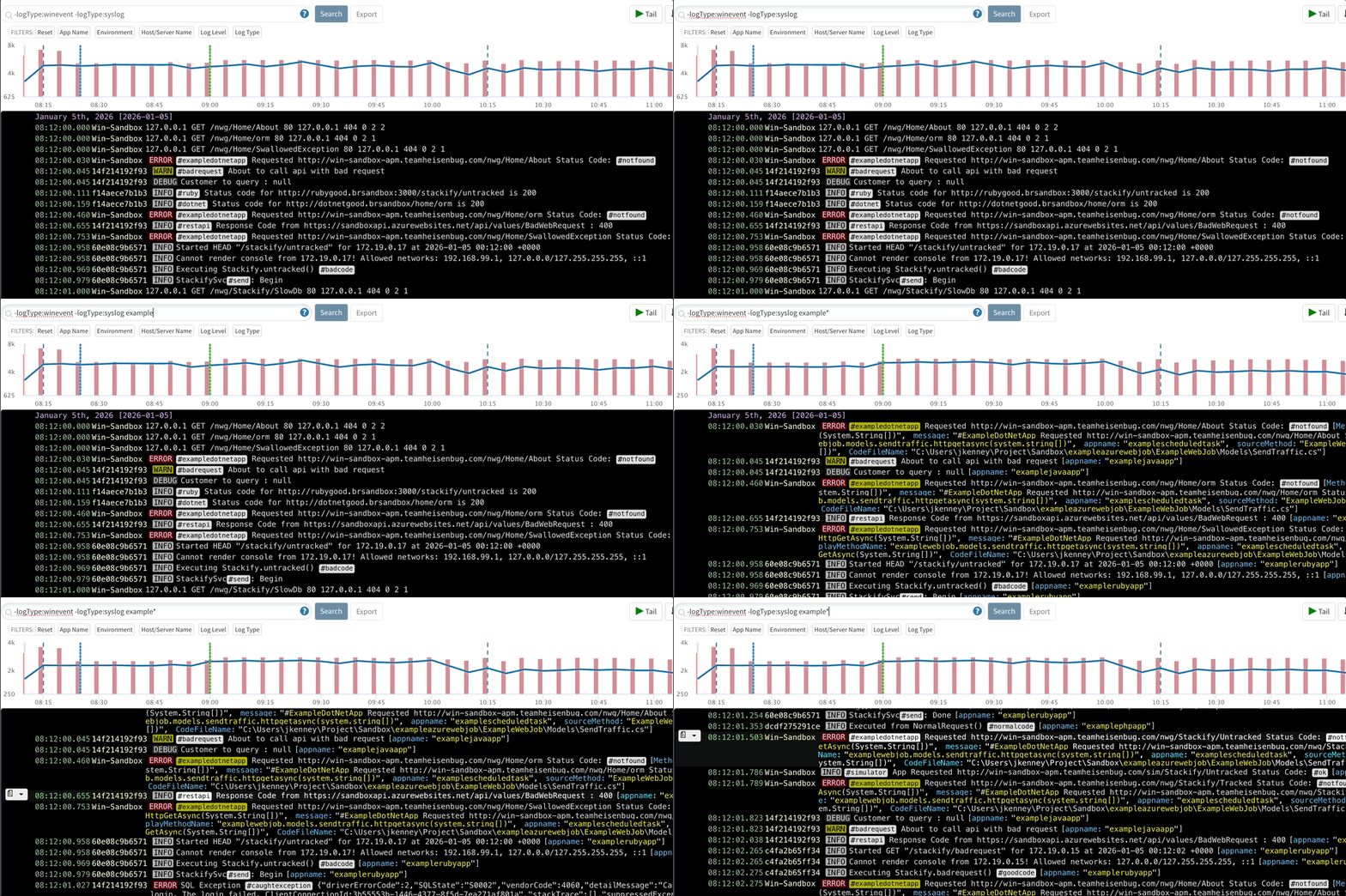
Multiple character wildcards:
stack*,example*
-
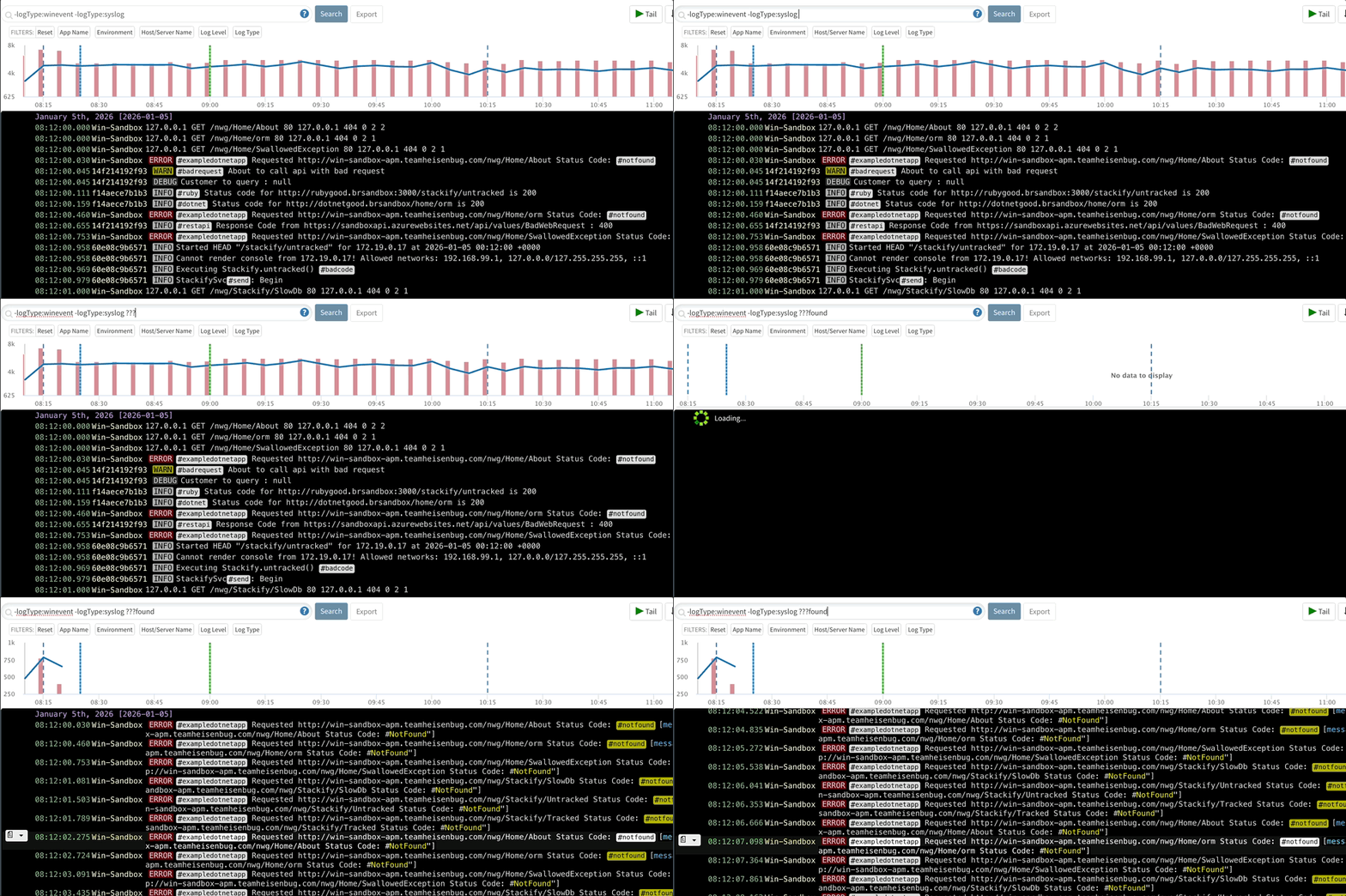
Single character wildcards:
stac?ify,???found
Regular Expressions
Regular expressions are supported and must be surrounded with forward slashes
/.*.stackify.com/
Searching for Log Levels
To search for certain log levels such as "WARN" or "ERROR", use "level:xxxx":
level:error
Searching by Field Names
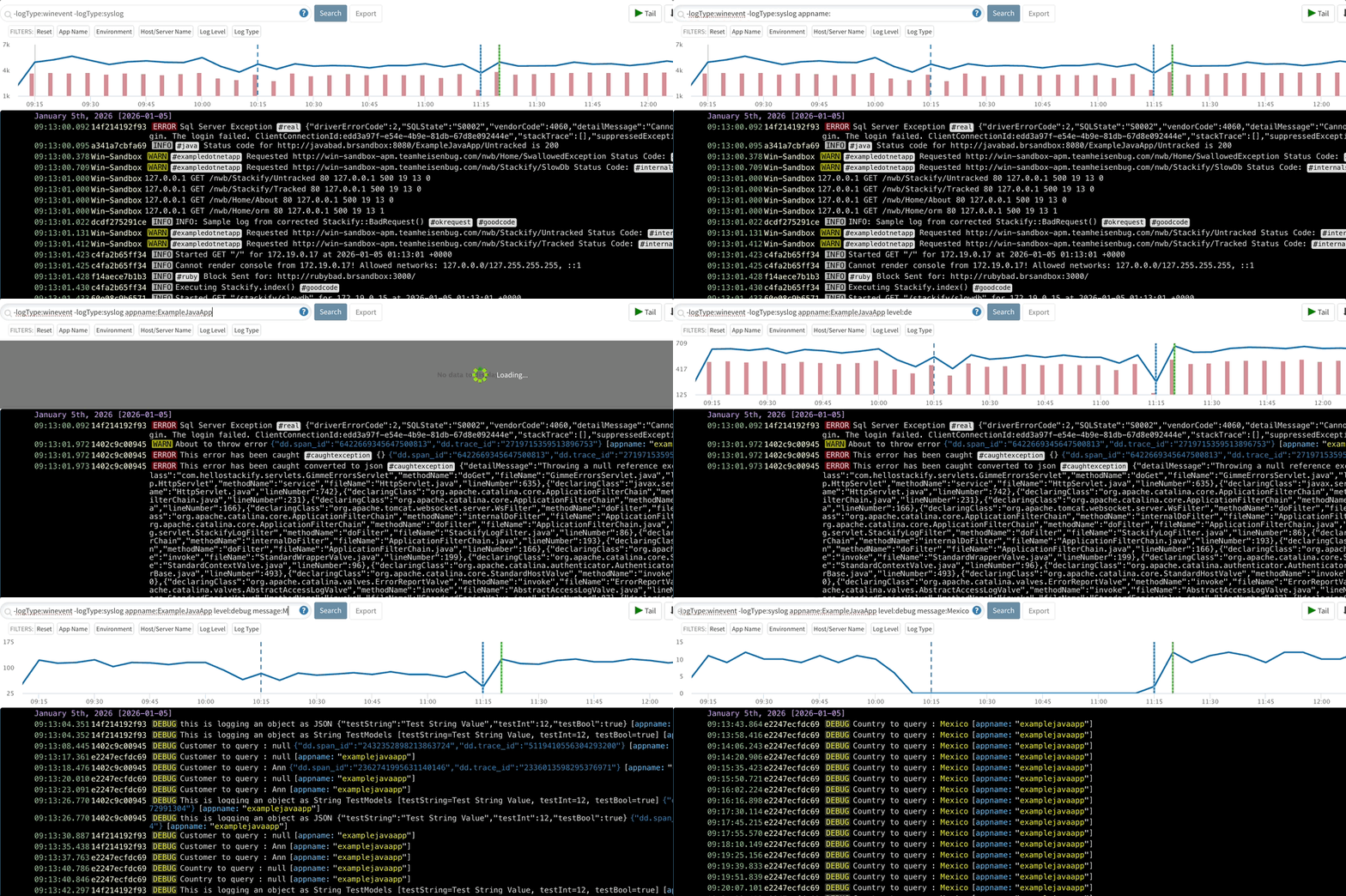
By default, searches are run against all fields. You can optionally target specific fields, including standard fields and custom fields. Range searches can also be used via the TO operator on numeric fields.
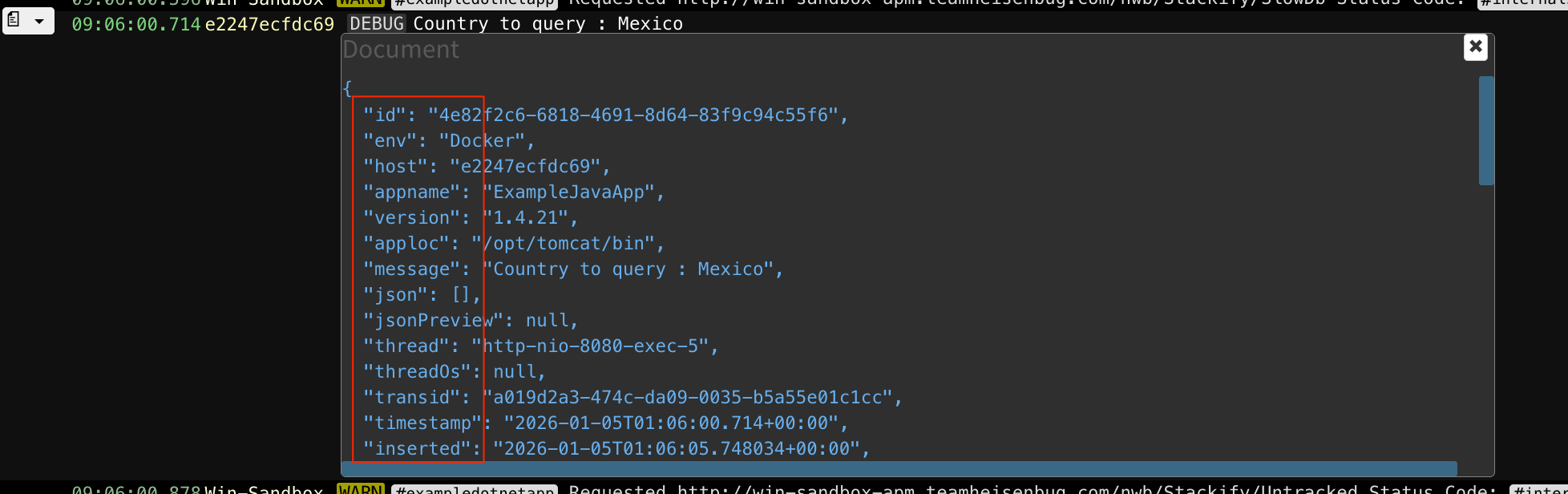
message:Mexicolevel:debughost:e2247ecfdc69appname:ExampleJavaAppenv:Docker
Searching against the json field
Logs can also come with custom properties. These properties are found nested within the JSON field.
JSON field types:
| JSON Data Type | Value Kind |
|---|---|
| String | string_value |
| Number | number_value |
| Date | date_value |
| Boolean | boolean_value |
Syntax:
json.name:"<nameOfField>" json.value.<value_kind>:"<value>"
The query parser supports literal matches, advanced Lucene queries, and partial matches.
1. Literal Searches (Auto-escaped)
When you omit quotes around a string_value, the backend automatically escapes reserved characters (such as /, +, or ?). This allows you to paste complex IDs or URLs directly without manually escaping them.
json.value.string_value:literal_value
2. Lucene Syntax (Quoted)
Wrap the value in quotes when you want Lucene operators, wildcards, or boolean logic to remain active inside the value.
json.value.string_value:"value* OR other"
3. Partial Matches
You do not need to provide both the name and the value. You can search for a field name only, or a value only.
Name only: json.name:"<nameOfField>"
Value only: json.value.<value_kind>:<value>
Syntax Examples:
Given the sample log below that has a property named "Property.User":
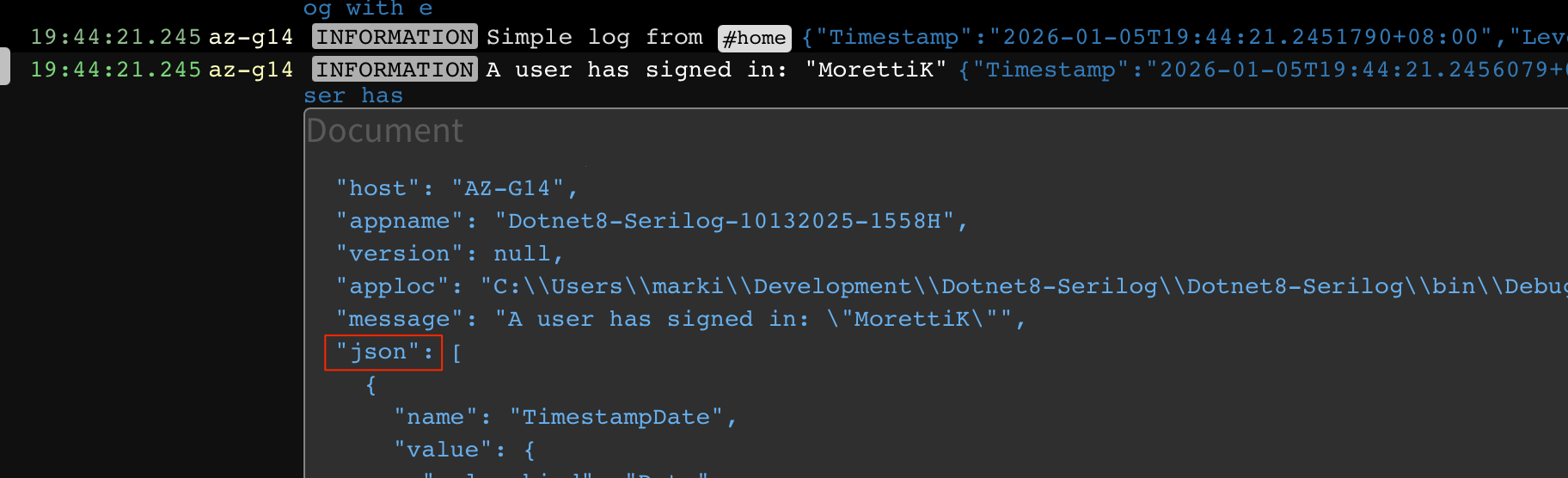
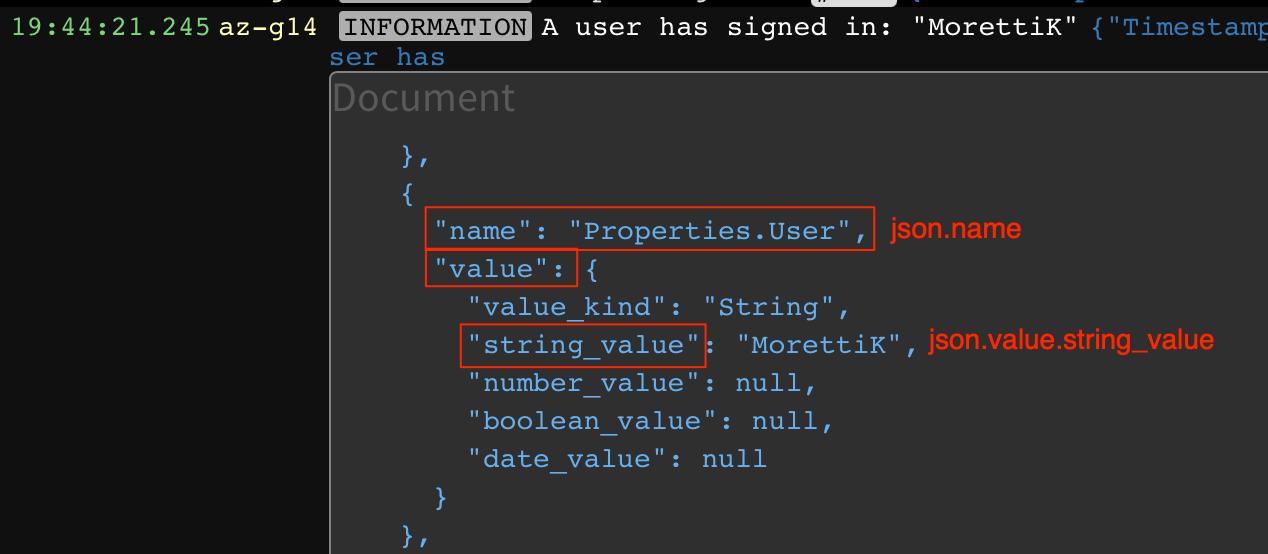
The query to get an exact match of "Property.User" would be:
json.name:"Property.User" json.value.string_value:"MorettiK"
Other samples:
json.name:"data.clientidnumber" json.value.number_value:"2107"
json.name:"container.id" json.value.string_value: "71f86477bf4dcafe8c5644ad2ff8b47857cd2def2fac73718f0fece3fb395235"
"json": [
   {
     "name": "container.id",
     "value": {
       "value_kind": "String",
       "string_value": "71f86477bf4dcafe8c5644ad2ff8b47857cd2def2fac73718f0fece3fb395235",
       "number_value": null,
       "boolean_value": null,
       "date_value": null
     }
   },
  ...
]